Gravity Mode
One click and everything on any website falls down. Grab it, throw it, flip gravity. Esc puts it all back.
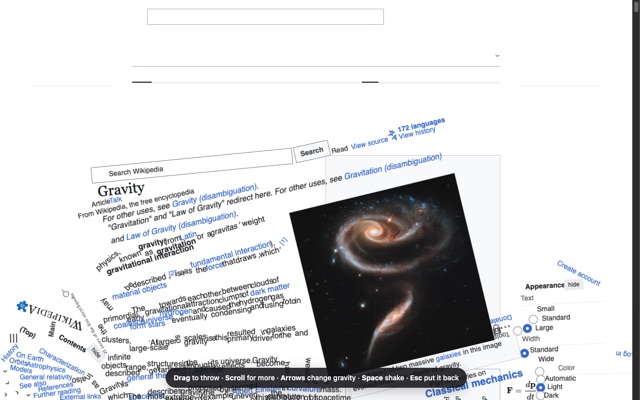
Controls
DragGrab anything and throw it
Arrow keysChange which way gravity pulls
SpaceShake everything into the air
ScrollMore of the page falls in
EscPut the page back
Alt + GTurn it on without clicking
Install in Chrome
- Click Download for Chrome above, then open the file to unzip it. You'll get a gravity-mode folder.
- Go to
chrome://extensionsand turn on Developer mode (top right). - Click Load unpacked and choose the gravity-mode folder.
- Pin it from the puzzle-piece menu. Open any website and click the icon.
Coming to the Chrome Web Store soon, for one-click installs. Works on most websites, but not on Chrome's own pages.